OXR creation tool
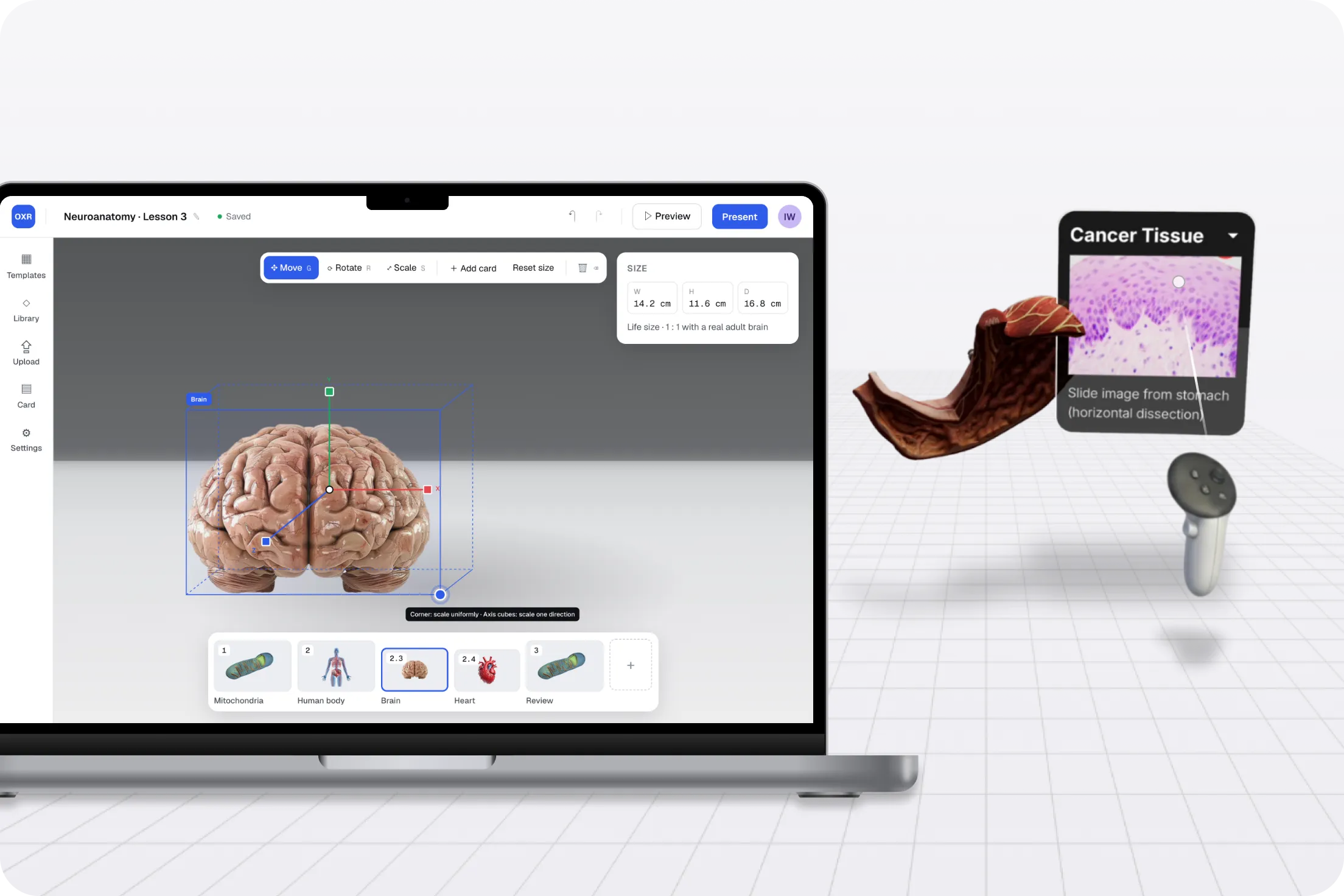
A web-based tool for educators to build 3D lessons and present them on the web or in an XR headset. I led research from discovery to usability testing and designed the editor.
Context
OXR lets educators turn abstract or hard-to-explain concepts into 3D presentations that students can see, explore and manipulate, in a browser or an XR headset. The team needed to know who would use it, for what, and what would stop them.
Discovery research
Across two interview rounds I spoke with 21 educators: 3 in higher education, 9 in K-12 public schools and 9 in K-12 private schools, teaching anatomy, biology, chemistry, engineering, history and English.
What we learned
Interest was high, but adoption depended on fitting into how teachers already work.
Being able to have a life-size human representation of what this hominid would have been like, brought into 3D.Size, scale and relationships between objects were where 3D helped most, from molecules to historical artifacts.
We can embed our photogrammetric scans on the website, but we cannot embed them in a PowerPoint.3D models were used in labs but not lectures, because they did not fit slide-based teaching.
Just putting a headset on and teaching, I think it's gonna be a jump for most people.Teachers worried about headset cost and had little time to learn new tools.
Design direction
These findings shaped three product decisions.
Usability testing
In round three, educators tried the headset, then built a project, added models, presented on the web and in XR, and joined a session as a student while thinking aloud. I logged issues by priority with the team.
Library
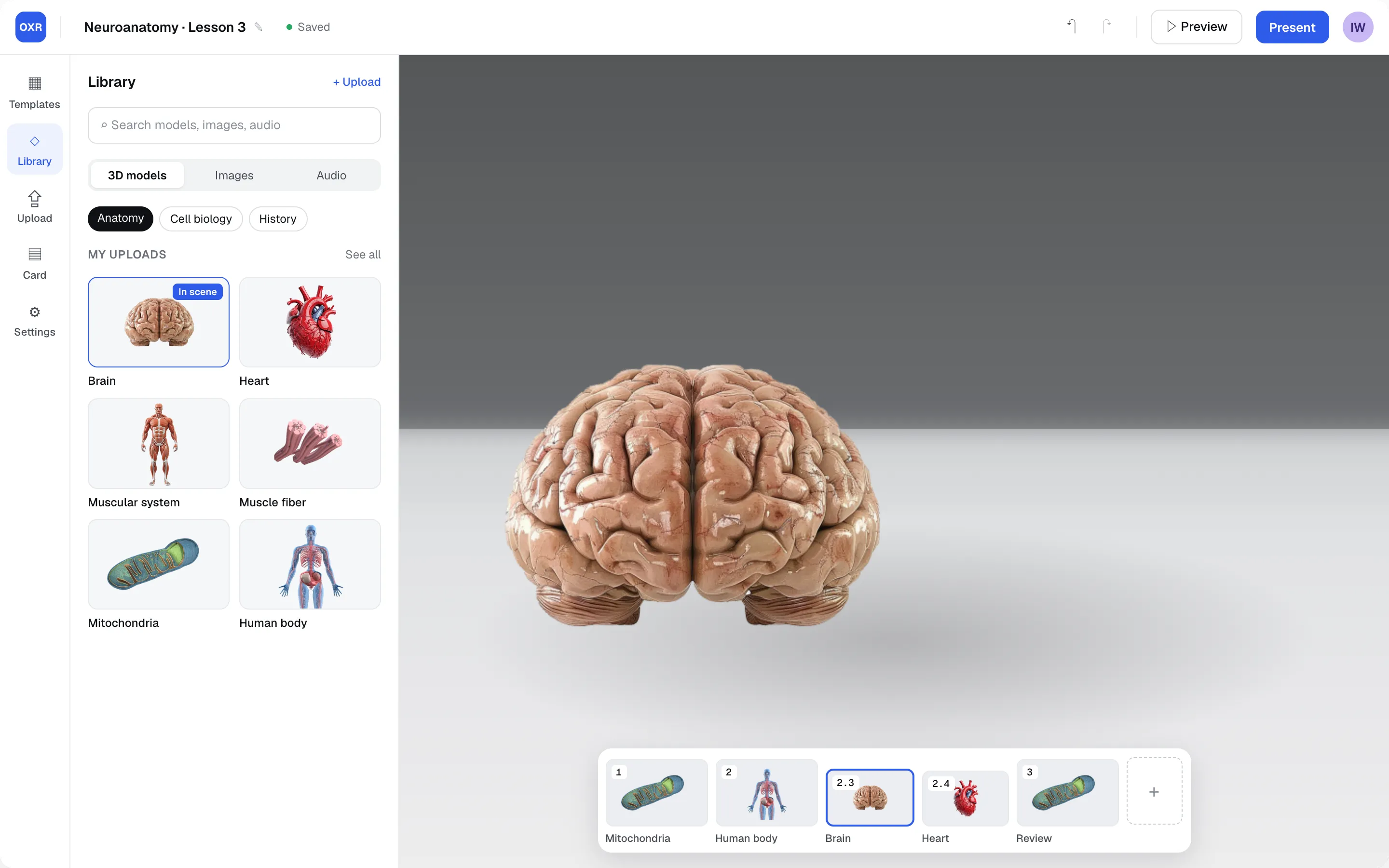
Search works across models, images and audio, with subject filters. Models already in the scene are marked.
Transform
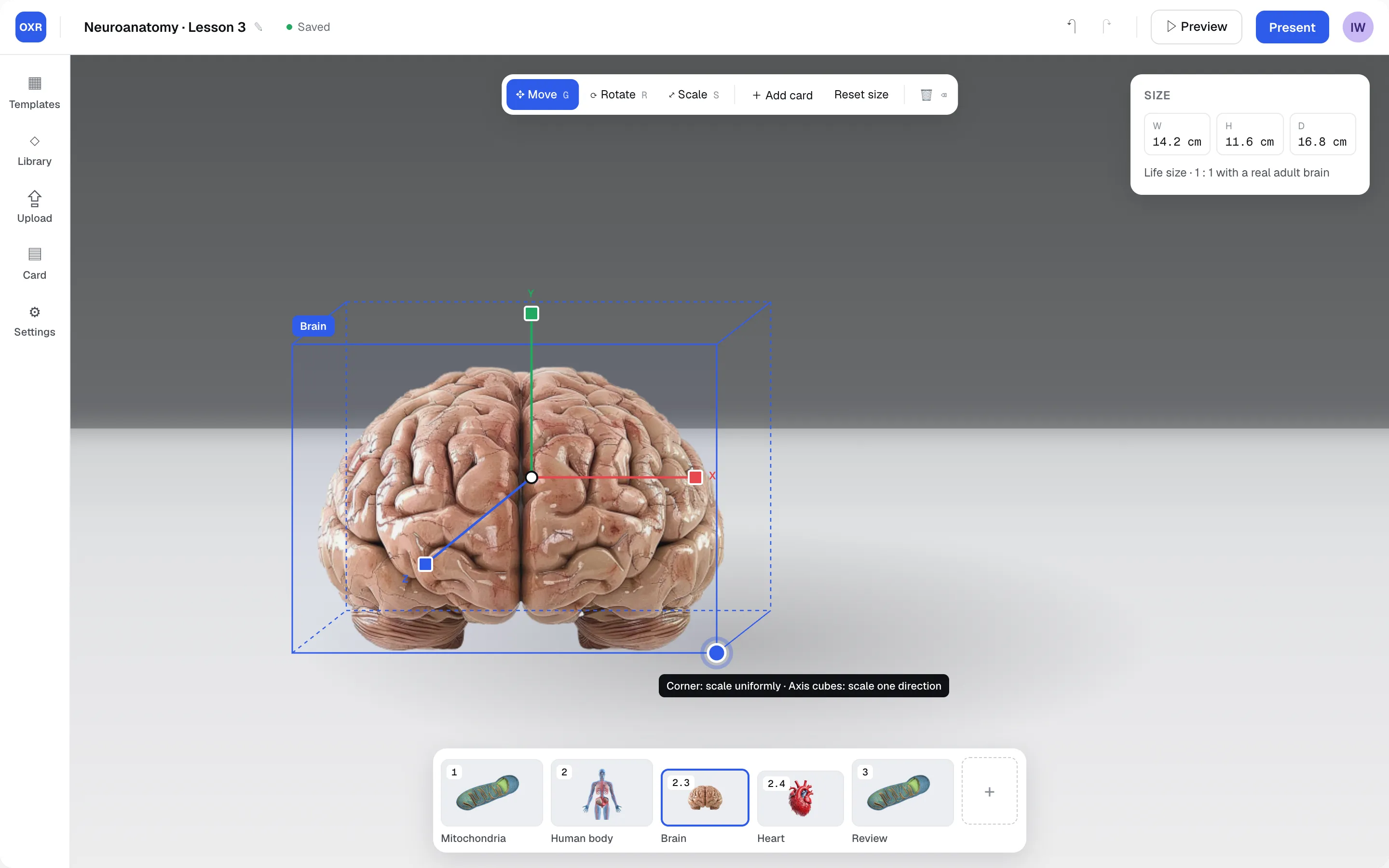
Tools are labeled with keyboard shortcuts. A 3D gizmo shows the model's bounding box: the corner handle scales uniformly and axis handles scale one direction. A size readout gives real-world scale, and Delete removes the model.
Information cards
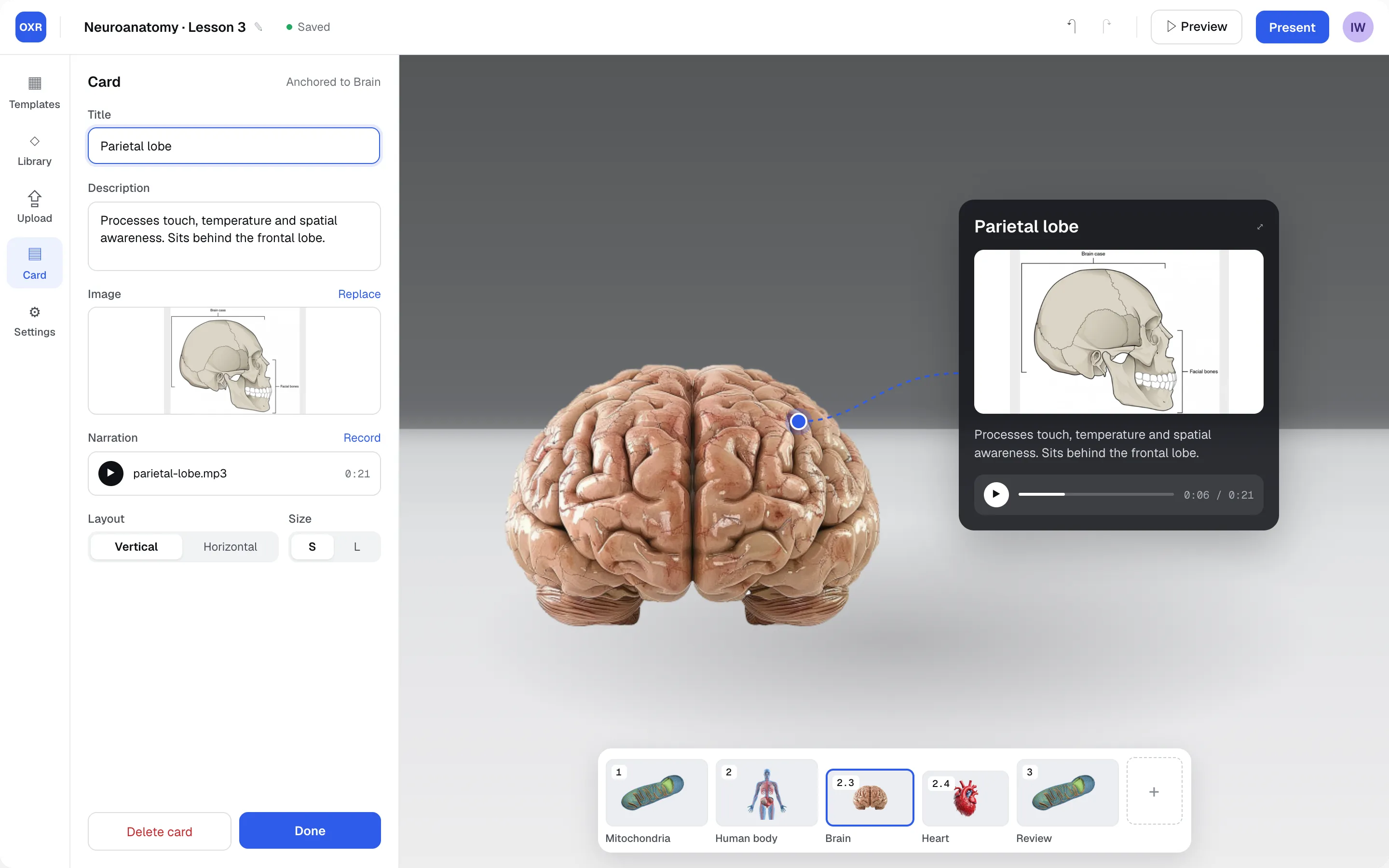
Cards anchor to a point on the model and preview live while the instructor edits title, description, image and narration.
Lesson structure
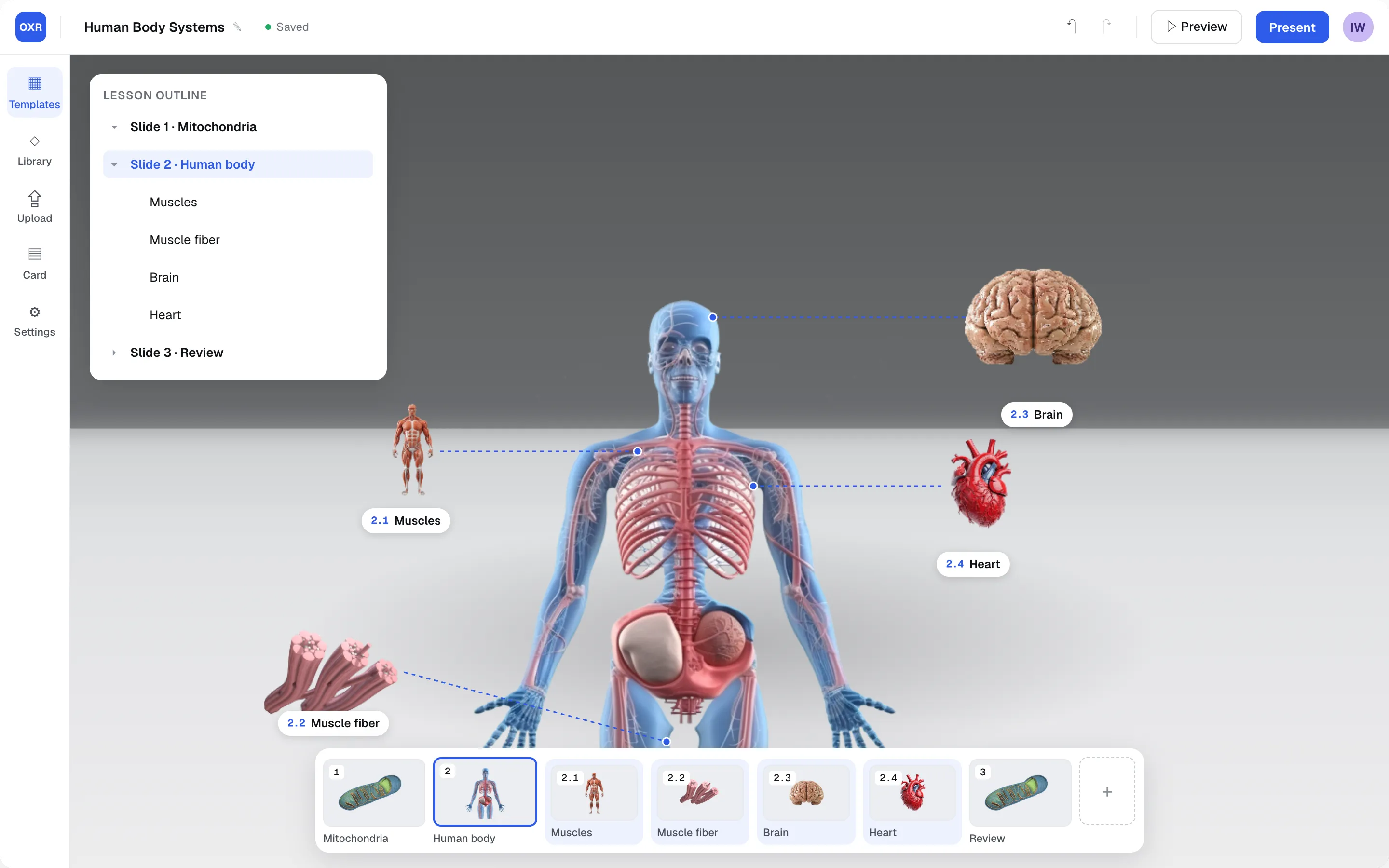
An outline and grouped thumbnails show which child slides belong to each parent slide.
Live session
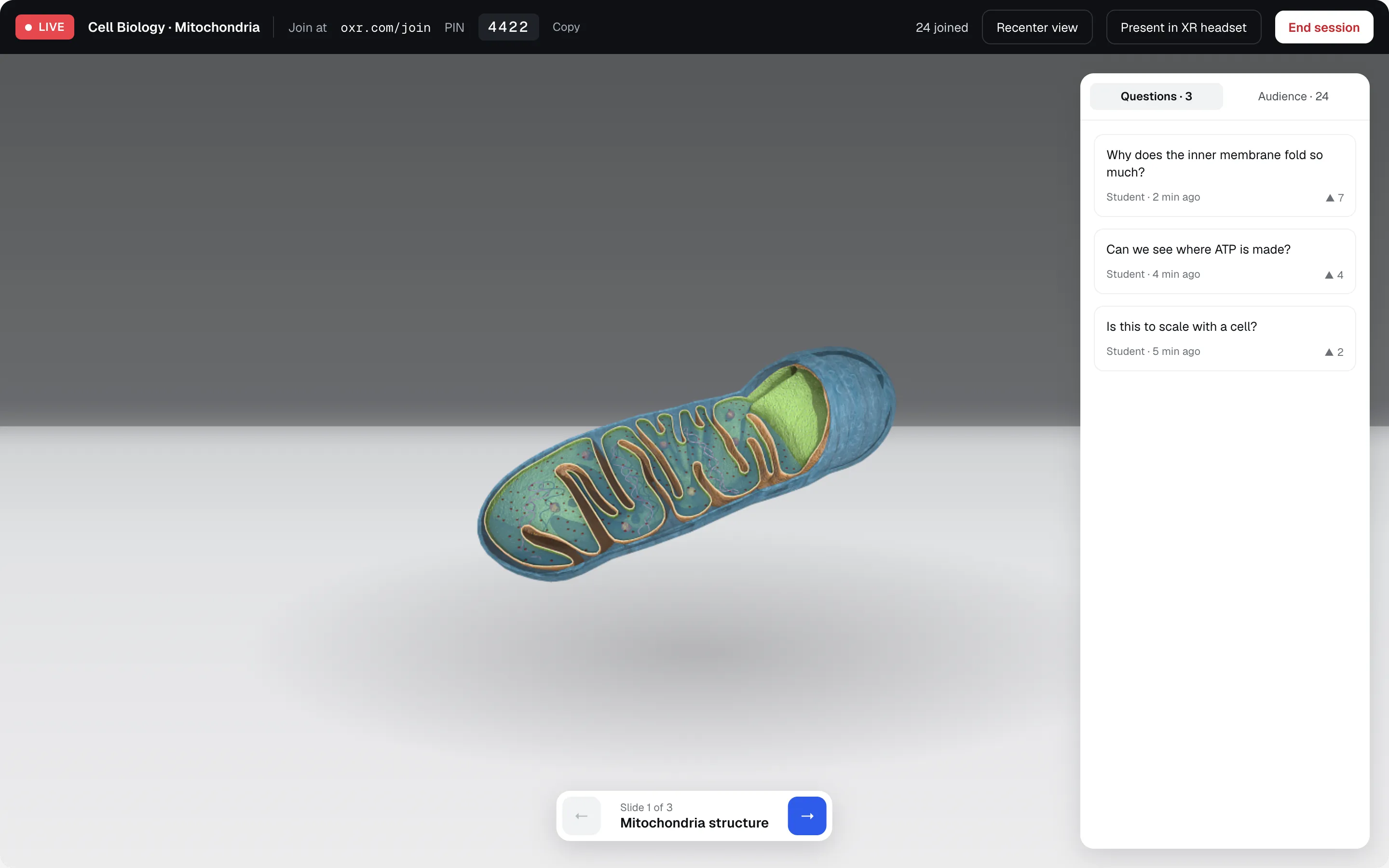
One bar holds join details, audience count, Recenter view and the switch to XR. Students can send questions during the lesson.